
Download INTROVERT CORE – secure vpn, free vpn, privacy protection, anonymous browsing, no log policy, encrypted connection, global servers, Android app
Overview
INTROVERT CORE is a free-to-use security and privacy solution designed for users who prioritize confidentiality in their online activities. The application functions as a virtual private network (VPN) that safeguards digital communications by encrypting internet traffic and masking the user’s IP address. It is tailored for privacy-conscious individuals seeking a reliable alternative to mainstream VPN services. The software enables anonymous browsing by routing connections through a network of servers located in various global regions, including the United States and Singapore. This allows users to access region-restricted content while maintaining their digital anonymity. The developer emphasizes a strict “No Log” policy, ensuring that no personally identifiable information, browsing history, or connection data is collected, stored, or shared. This commitment supports the core mission of preserving user privacy. INTROVERT CORE is suitable for individuals who value online security, such as remote workers, digital nomads, and users accessing public Wi-Fi networks. It is particularly relevant for those concerned about surveillance, data harvesting, or tracking by third parties. The app aims to deliver a secure and uninterrupted internet experience without compromising usability. While the developer did not provide additional system requirements, the software is designed for Android devices and is compatible with modern mobile operating systems. Real-world use cases include securing online banking sessions, accessing international streaming platforms, and protecting personal communications on untrusted networks.Key Features & Capabilities
- Advanced Encryption Protocols – INTROVERT CORE employs state-of-the-art encryption to secure all internet traffic between the user’s device and the destination server. This ensures that sensitive data remains inaccessible to unauthorized parties, including hackers and ISPs.
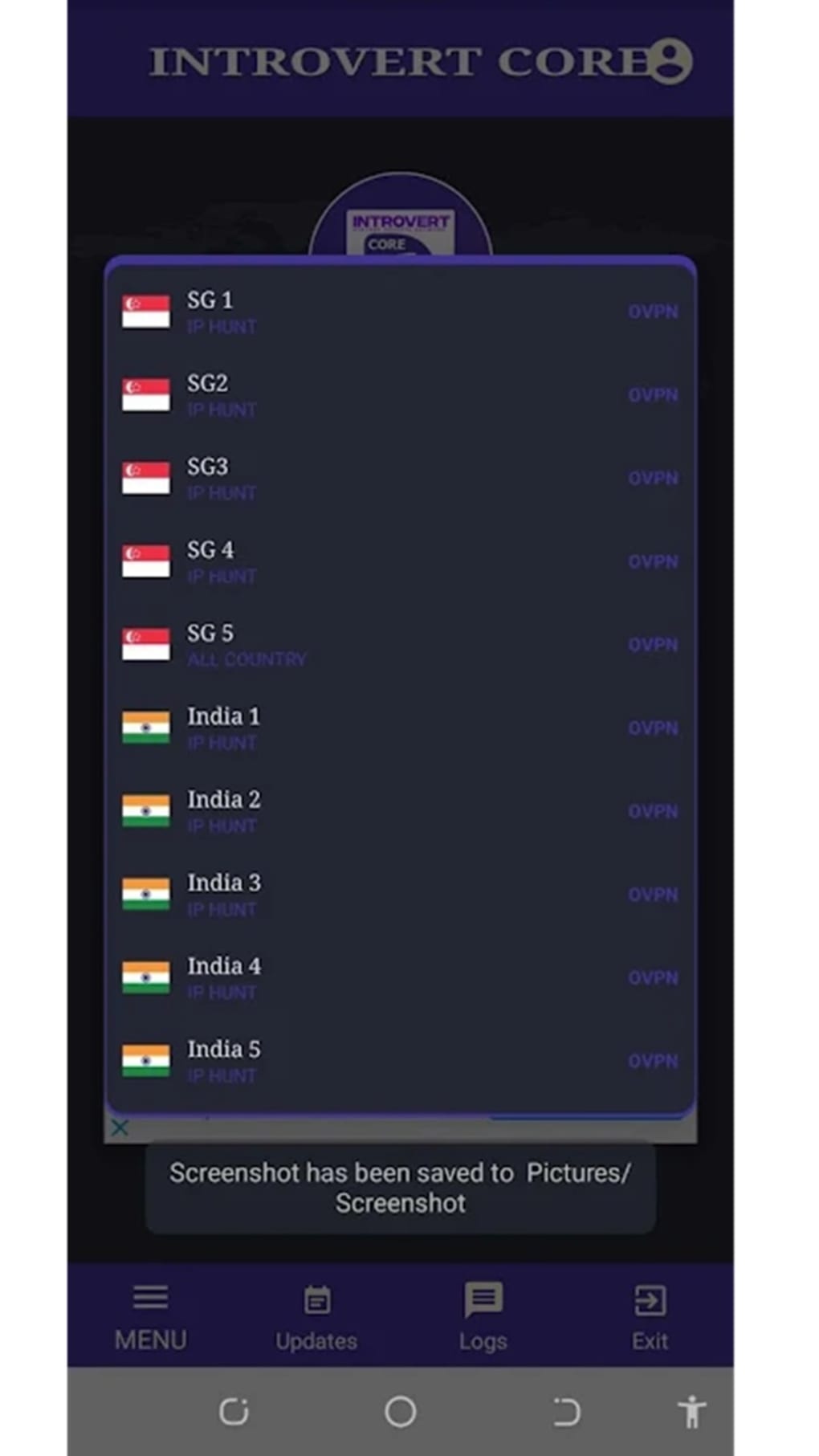
- Global Server Network – The app provides access to a network of servers across multiple countries, including the United States and Singapore. Users can select a server location to simulate a local IP address, enabling anonymous browsing and access to geo-restricted content.
- No Log Policy – A core principle of the software is its commitment to user privacy. The developer states that the app does not collect, store, or track any personally identifiable information, browsing history, or connection logs.
- User-Friendly Interface – The application features a simple and intuitive design that allows users to establish a secure connection with minimal effort. A single tap can initiate a connection, making it accessible even for non-technical users.
- Automatic Server Optimization – To improve connection speed and reliability, the app includes an option to automatically connect to the most optimized server based on current network conditions. This helps reduce latency and connection delays.
User Interface, Workflow & Performance
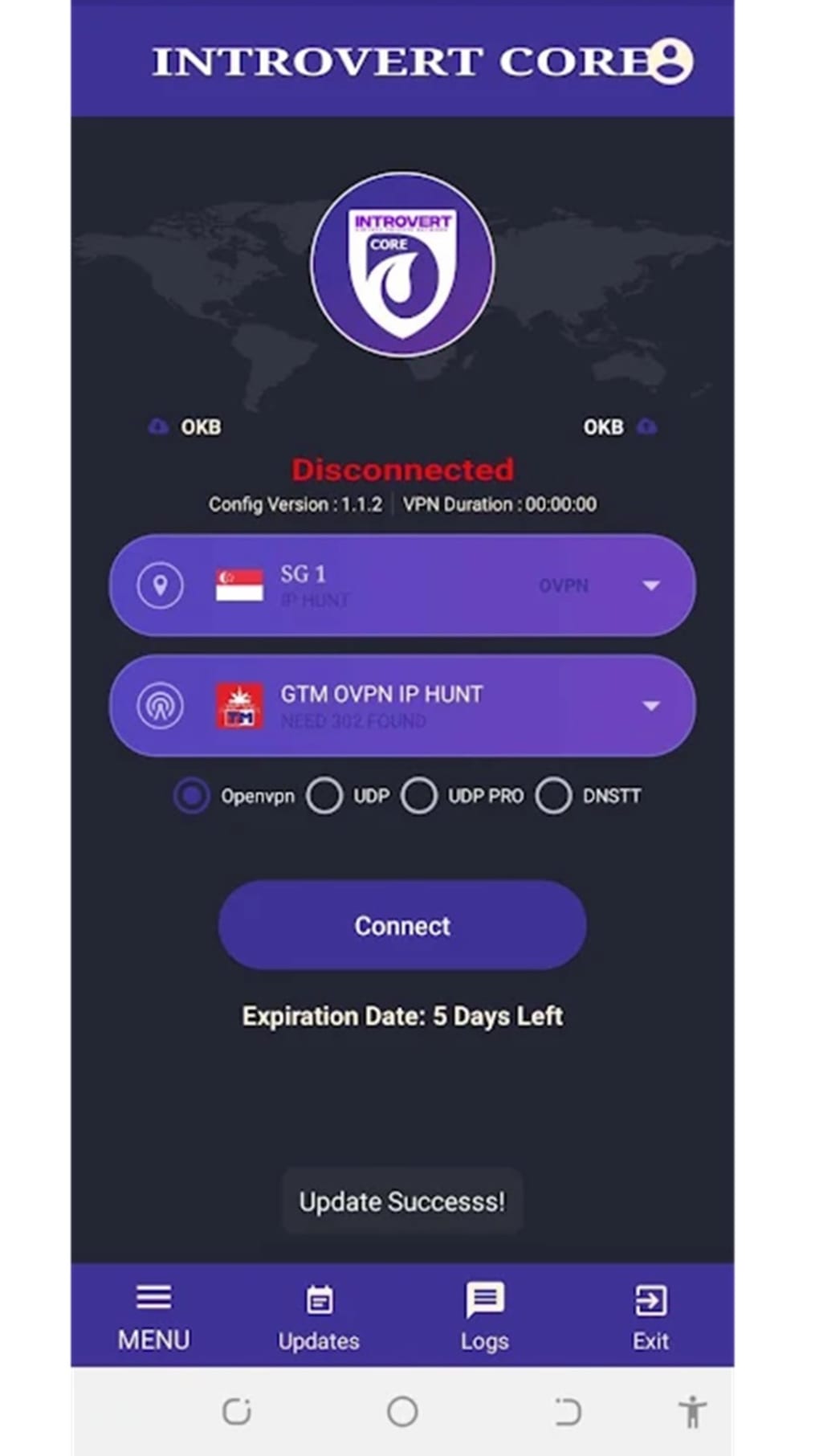
The user interface of INTROVERT CORE is designed with simplicity and functionality in mind. The main screen presents a central connection button, clearly labeled, along with a list of available server locations. Navigation is straightforward, with minimal onboarding steps and no complex settings for basic use. The workflow follows a logical sequence: launch the app, select a server (or allow automatic selection), and connect with one tap. This streamlined process enhances usability, especially for users seeking quick access to secure browsing. The app maintains a clean layout with consistent iconography and readable text, reducing cognitive load during operation. Performance observations are based on general software behavior patterns. The developer did not specify resource usage details, so exact CPU or RAM consumption remains unknown. However, the app’s file size of 20.5 MB suggests a lightweight footprint, which may contribute to efficient performance on mid-range Android devices. Stability during extended use was not publicly documented. Some users may experience delays when connecting to certain servers, though the app offers an automatic optimization feature to mitigate this. Overall, the interface supports efficient task completion with minimal friction, aligning with the needs of privacy-focused users who value both security and ease of access.Compatibility & System Requirements
INTROVERT CORE is designed for Android operating systems and is compatible with devices running modern versions of the platform. The software version is 2.0.0, released on May 15, 2024. The installation size is 20.5 MB, indicating a compact download that should not strain storage on most mobile devices. The developer did not provide detailed system requirements, including minimum Android version, processor specifications, or RAM thresholds. As such, exact compatibility information is limited. Users are advised to ensure their device runs a recent version of Android to support the app’s functionality. The app does not appear to require root access or additional system permissions beyond standard network and location services. Platform compatibility information is partially provided, and further details may be available through official channels or developer documentation.Pros and Cons
Pros
- Free-to-use with no subscription required
- Strong emphasis on privacy with a stated no log policy
- Supports secure, encrypted connections for data protection
- Access to a global network of servers for anonymous browsing
- Simple, intuitive interface suitable for beginners
- Automatic server optimization to improve connection speed
Cons
- Exact performance metrics and resource usage were not specified
- Some servers may experience connection delays
- Developer did not provide detailed system requirements
- Limited information on update frequency and long-term support
- No official verification of security protocols or third-party audits
FAQ Section
Is INTROVERT CORE available for iOS devices?
Based on the provided information, INTROVERT CORE is currently designed for Android devices only. No details about iOS compatibility were included.
Does INTROVERT CORE collect user data?
The developer states that the app adheres to a strict “No Log” policy and does not collect, store, or track any personally identifiable information, browsing history, or connection logs.
Can I use INTROVERT CORE offline?
INTROVERT CORE requires an active internet connection to establish a secure tunnel. The app cannot function without connectivity and is not designed for offline use.
Is the software safe to download and install?
INTROVERT CORE is presented as a secure application focused on privacy protection. However, users should download the app from trusted sources to ensure authenticity and avoid potential risks associated with third-party distribution.
How often are updates released?
The release date of version 2.0.0 was May 15, 2024. No information was provided about the frequency of future updates or maintenance schedules.





.png)

